Meet Bear.Markdown notes you’ll love.
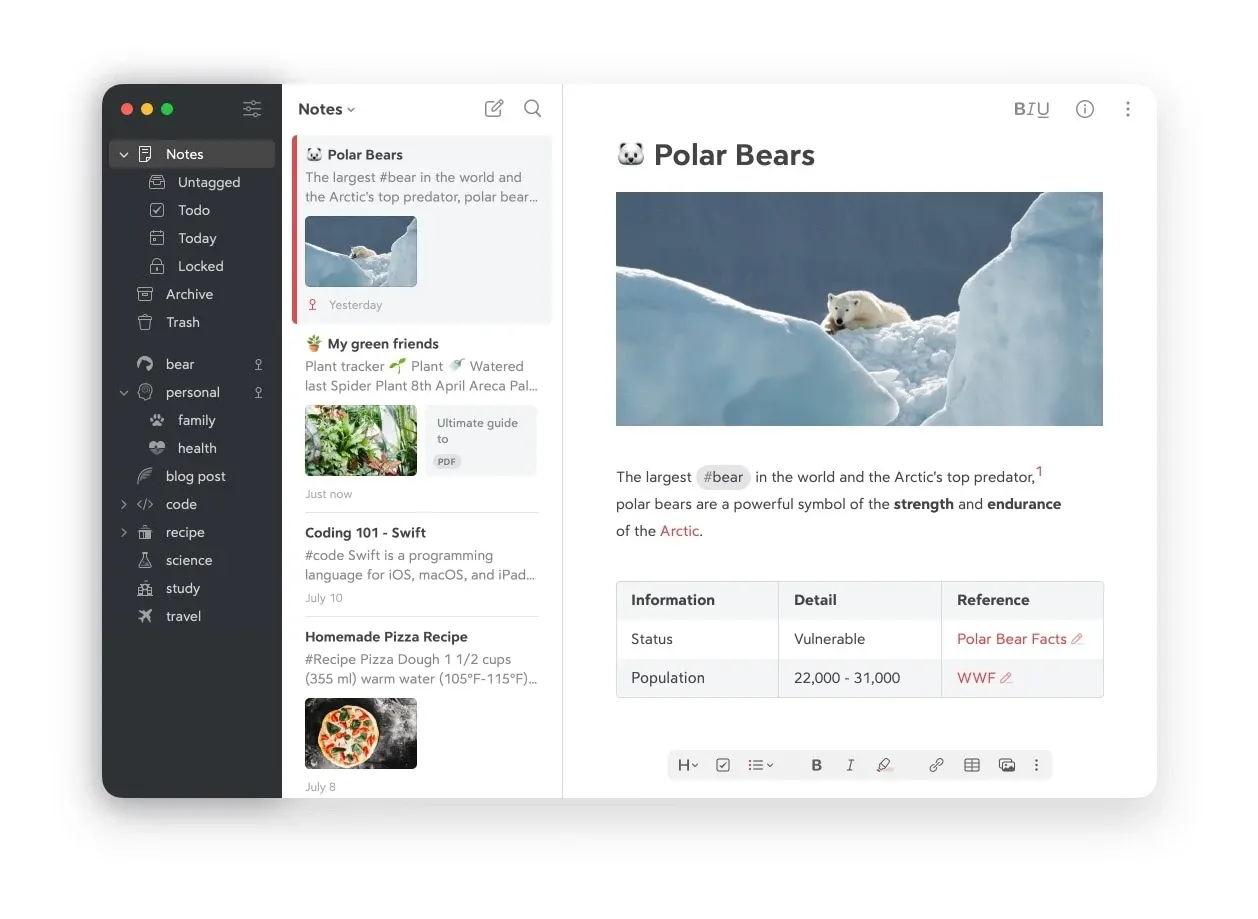
Bear is a focused writing and note-taking app for Mac, iPhone, and iPad. It combines a polished Markdown editor with a tag-based library, making it quick to capture a thought, develop a longer document, or keep related notes together without building a conventional folder hierarchy.
Notes can mix formatted text, photos, tables, task lists, sketches, and attachments. Tags live directly in the text and can be nested, while links between notes make it possible to build lightweight project hubs, personal references, or a small wiki.
Features
- Write with Markdown shortcuts while Bear presents the note as a clean, readable document.
- Organize notes with flexible nested tags, pinned tags, tag icons, backlinks, and links between notes.
- Add images, files, tables, todo lists, sketches, and document scans alongside text.
- Fold sections under headings and use the outline to move through longer notes.
- Export to portable formats including plain text, Markdown, TextBundle, and RTF; Bear Pro adds PDF, HTML, DOCX, JPG, and ePub.
- With Bear Pro, sync through iCloud, search text inside images and PDFs, choose additional themes, and encrypt individual notes.
Where it fits
Bear suits Apple users who want more structure and writing polish than a basic notes app without the setup and extensibility of a larger knowledge-management system. It works especially well for personal notes, journals, drafts, project material, and linked reference collections.
Its tag-first organization will not suit everyone who thinks in folders. Bear also has no native Windows or Android app, and it is designed primarily for personal work rather than live collaborative editing. Obsidian is a stronger fit when plain files, plugins, and cross-platform control matter more; Drafts is faster when captured text is usually sent elsewhere.
Privacy and requirements
Bear stores notes locally for free. Bear Pro uses Apple CloudKit for sync and therefore requires iCloud; the developer says it cannot access synced note contents or iCloud credentials. Apple Advanced Data Protection is supported, although note titles and tag names remain unencrypted. Bear for Mac requires macOS 12.4 or later.
Pricing
Bear includes a free tier for local notes. Bear Pro has a 7-day trial, then costs $2.99/month or $29.99/year; regional prices and taxes can vary.
 Antinote
 Drafts
 Obsidian
 Glyph
Glyph iA Writer