Meet Swish.The missing gesture layer for macOS.
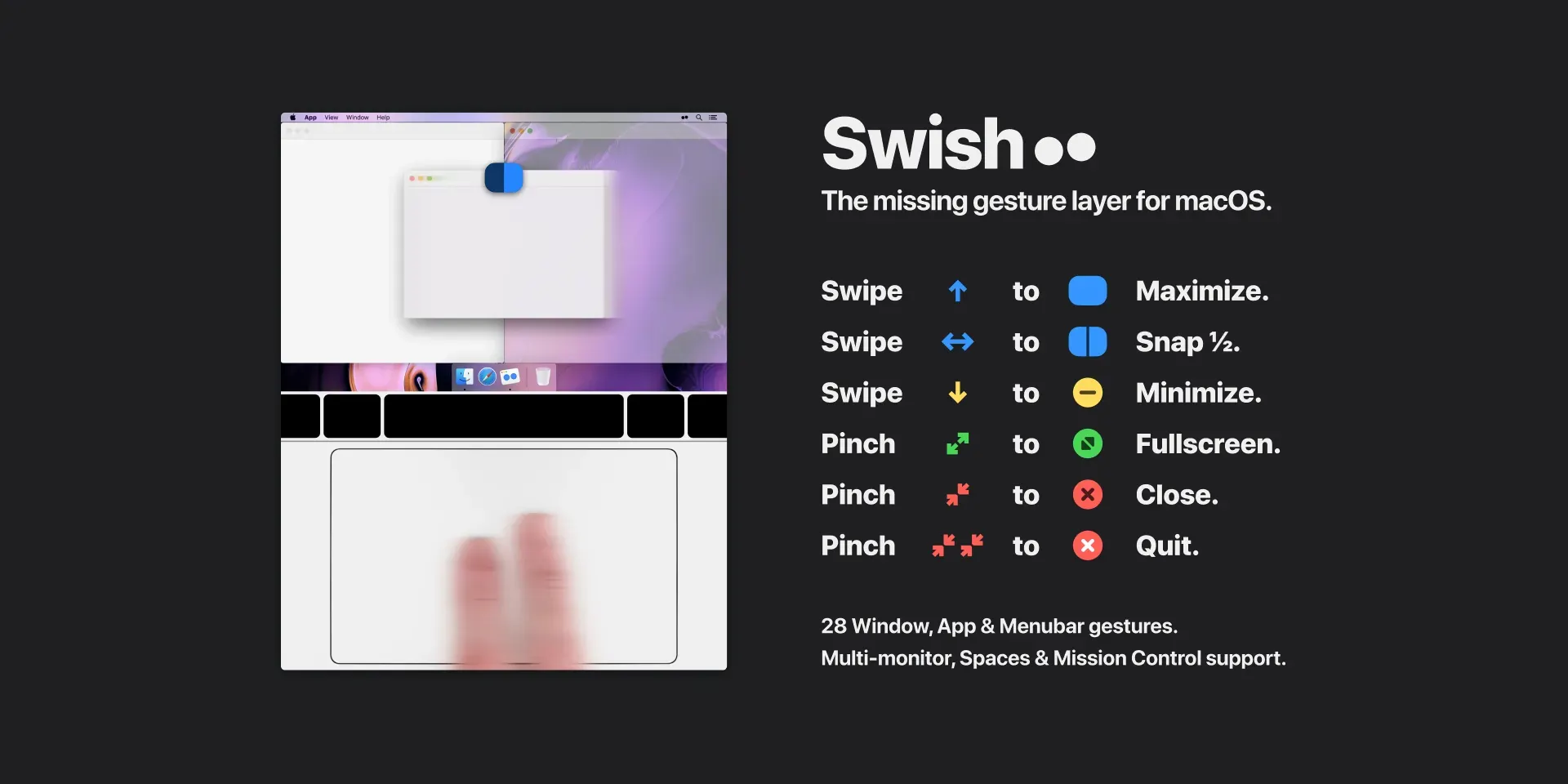
Swish is a window manager built around trackpad and Magic Mouse gestures. It lets you arrange, resize, minimize, close, and move windows with short gestures on a title bar instead of dragging them to screen edges or memorizing a large set of shortcuts.
The workflow is physical and immediate. Swipe a window into a grid position, pinch to close it, swipe down to minimize it, or move it between displays and spaces without taking your hands away from the pointing device.
Features
- Use around thirty configurable gestures for window snapping, Dock and menu bar actions, and workspace management.
- Snap windows into 2×2, 3×2, and 3×3 layouts with a title-bar swipe, then resize adjacent windows together by dragging a divider.
- Close, minimize, and enter full screen with pinch and swipe gestures instead of aiming for window controls.
- Move windows between displays based on their physical arrangement and work more quickly across macOS spaces.
- Use Magic Trackpad, Magic Mouse, or supported keyboard shortcuts when a gesture is not the preferred input.
- Toggle individual gestures and use the built-in tutorial to avoid conflicts with existing habits.
Where it fits
Swish is a strong fit for trackpad-heavy MacBook and desktop workflows where windows are constantly being rearranged. It is especially useful with large or multiple displays, when a pointer-driven layout tool feels more natural than a shortcut-only window manager.
It is less compelling for people who use a conventional mouse without touch emulation or who prefer fixed keyboard shortcuts. Its gesture vocabulary also takes a little practice before it becomes automatic.
Privacy and requirements
Swish supports macOS 10.13 or later on Intel and Apple silicon. It requires Accessibility access for system-level window operations and is distributed outside the Mac App Store because those functions do not fit normal sandbox restrictions. Review its permissions, disable overlapping gestures, and keep a keyboard route available while learning the gesture set.
Pricing
Swish costs $16 for a one-time license.
 BetterTouchTool
 Mac Mouse Fix
 Magnet
 Rectangle