Meet Dropover.Drag and drop. Without the friction.
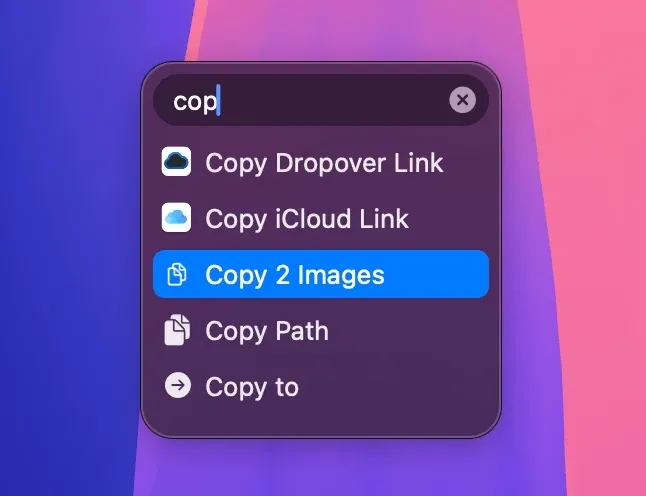
Dropover is a Mac utility that places dragged files and other content on temporary floating shelves. Instead of holding the pointer while navigating between crowded windows or spaces, you can collect items from several places, move to the destination, and drag everything out together.
Shake the pointer while dragging to open a shelf, or create one with a keyboard shortcut, the menu bar, the MacBook notch, Share extensions, Services, or Shortcuts. A shelf keeps references to the original files rather than copying or moving them when they are added.
Features
- Collect files, folders, images, links, text snippets, and browser images on one or more floating shelves.
- Preview, rename, reorder, remove, or Quick Look shelf items before moving them.
- Share through AirDrop, Mail, Messages, and the macOS Share menu, or create upload links through Dropover Cloud and supported storage providers.
- Run built-in actions such as image resizing, text extraction, and ZIP creation without first moving the files elsewhere.
- Pin and name shelves, reopen recent shelves, monitor folders, and create screenshot shelves for material that needs to stay available.
- Extend the workflow with custom actions, scripts, Siri Shortcuts, and integrations for Alfred and Raycast.
Where it fits
Dropover is useful when files regularly move between Finder windows, apps, desktops, or full-screen spaces. It provides a focused staging area and avoids using the Desktop as a temporary pile.
It is a Mac-only addition to drag and drop rather than a file manager or permanent organizer. The shake gesture may also be unnecessary or distracting for some users, although its sensitivity can be changed or it can be disabled for selected apps. Droppy offers a broader shelf with clipboard and system widgets; Dropover stays centered on moving and processing dragged content.
Privacy and requirements
Dropover requires macOS 13 or later and is distributed through the Mac App Store. Items placed on a shelf remain local file references and are not uploaded automatically. Choosing Dropover Cloud or another upload provider sends the selected files to that service. The App Store privacy label says purchases, identifiers, usage data, and diagnostics may be collected without being linked to identity.
Pricing
Dropover includes a fully functional 14-day trial. Afterward it remains usable for free with a three-second delay before adding items to a shelf. A $6.99 one-time Dropover Pro purchase removes the delay; regional pricing may vary.
 Clop
Clop Droppy
 QSpace
 Raycast
 ForkLift