Meet Shottr.A screenshot tool for those who care about pixels.
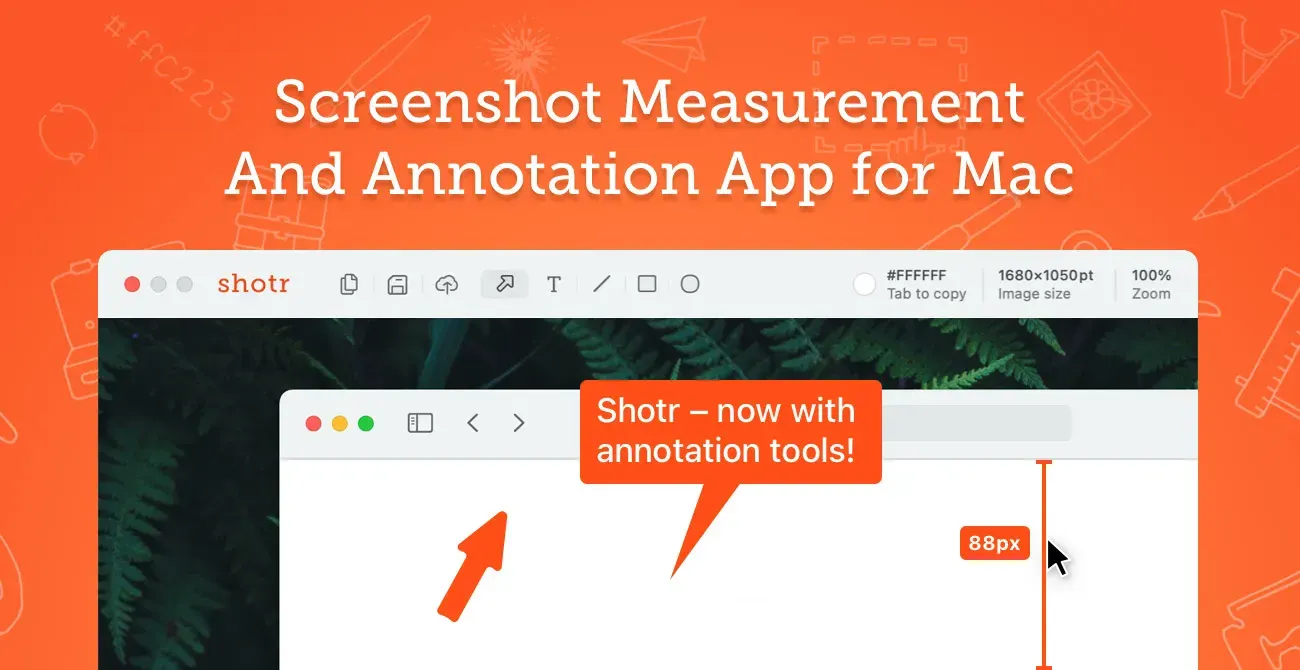
Shottr is a lightweight Mac screenshot tool aimed at designers, front-end engineers, and anyone who needs precise capture and markup. It combines fast region and scrolling capture with visual annotation, OCR, pixel tools, backgrounds, pinning, and optional upload workflows.
Capture a screen area, long page, or application window, then crop, annotate, redact, measure, or copy the relevant result. The app is particularly useful for design feedback, bug reports, documentation, visual comparison, and extracting text or colors from material that is not otherwise selectable.
Features
- Capture normal and scrolling screenshots from web pages, chats, and other app windows.
- Add text, arrows, freehand drawing, highlights, spotlights, overlays, backgrounds, shadows, and rounded corners.
- Use OCR to copy non-selectable text and read QR codes from a selected screen area.
- Blur, pixelate, or remove sensitive visual information, including a text-focused redaction mode.
- Pin screenshots as floating reference windows, combine multiple captures, measure screen elements, zoom into pixels, and copy colors.
- Save to a selected folder or use the current S3-compatible upload capability where configured.
Where it fits
Shottr fits design, front-end, support, and documentation workflows that need small, exact screenshots quickly. It can be a lighter alternative to larger screen-capture suites when still images, precise markup, and OCR matter most.
Review the image before sharing: redaction and capture mistakes are easy to propagate. Recording, advanced cloud collaboration, and broad media editing belong in other tools.
Privacy and requirements
Shottr supports macOS 10.15 or later and requires Screen Recording permission. OCR, scrolling capture, and annotation operate on visible screen content, which can include private messages or credentials. Optional upload or sharing features move a chosen image beyond the Mac; hide confidential windows and inspect the final capture before sharing it.
Pricing
Shottr includes a free tier. Basic $12 one-time purchase.
 CleanShot X
 Presentify