
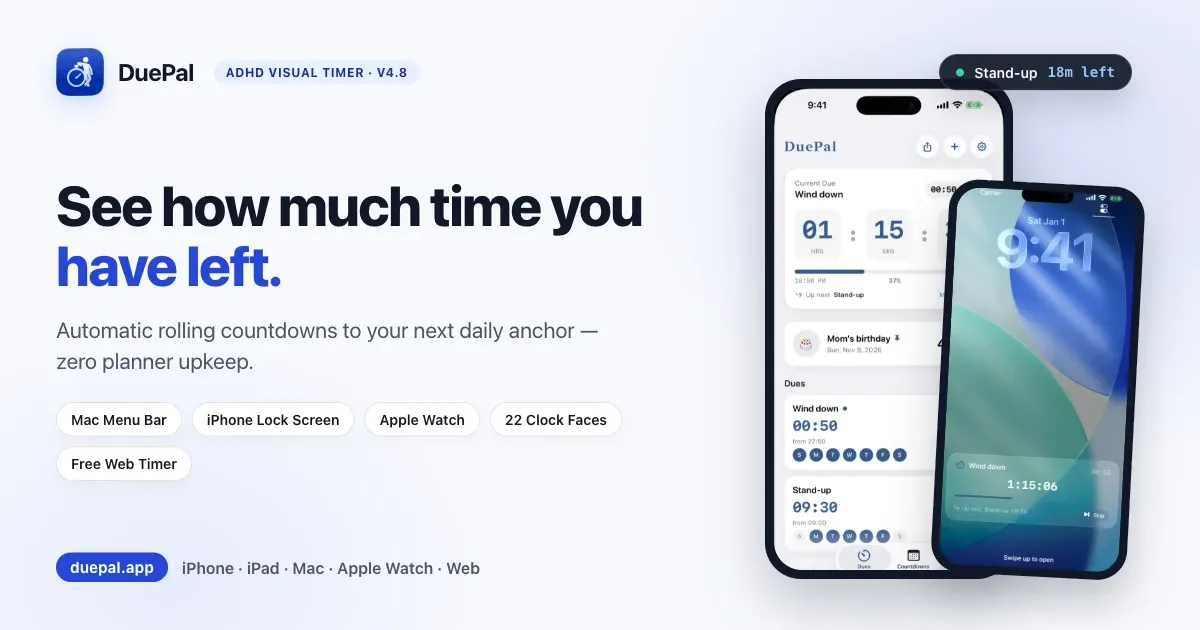
Meet DuePal.Automatic rolling visual countdown clock in your Mac menu bar and desk display for ADHD time blindness.
About DuePal
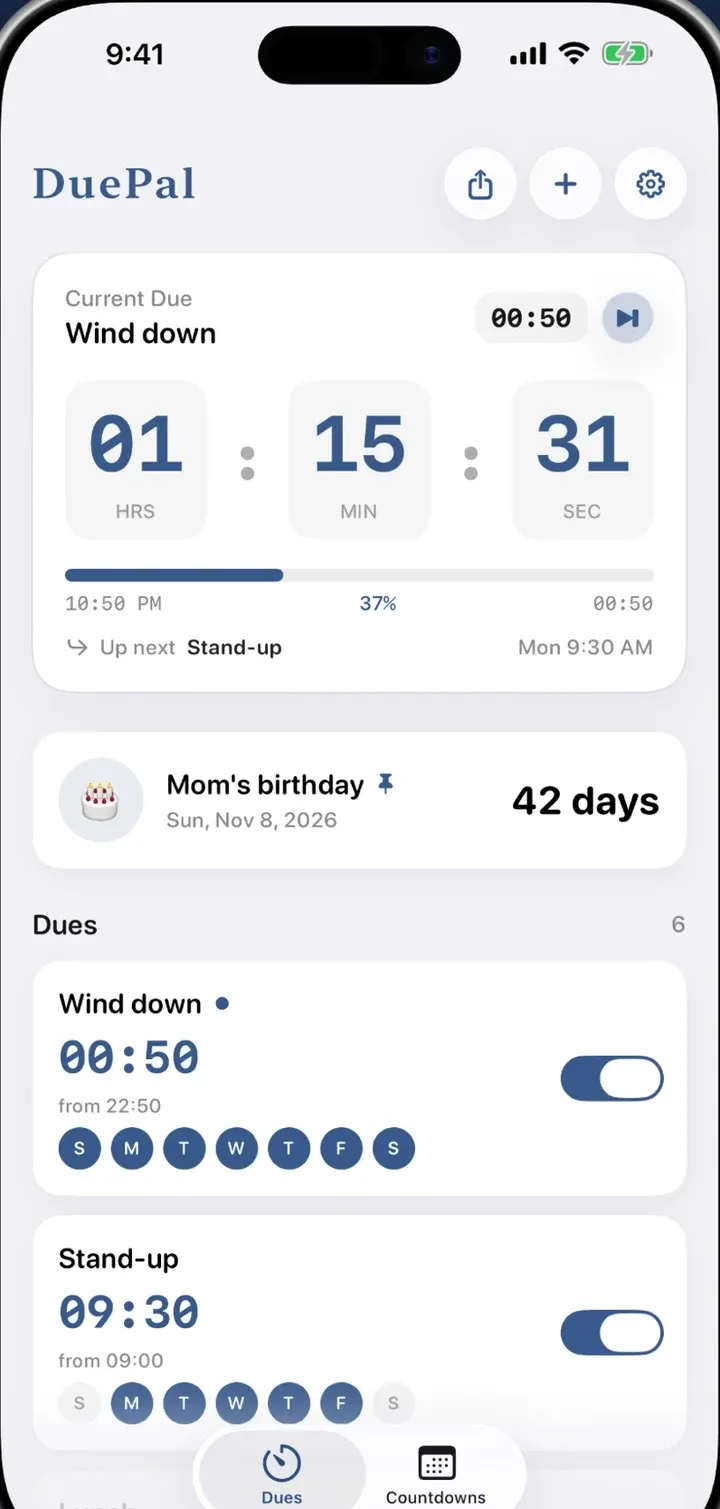
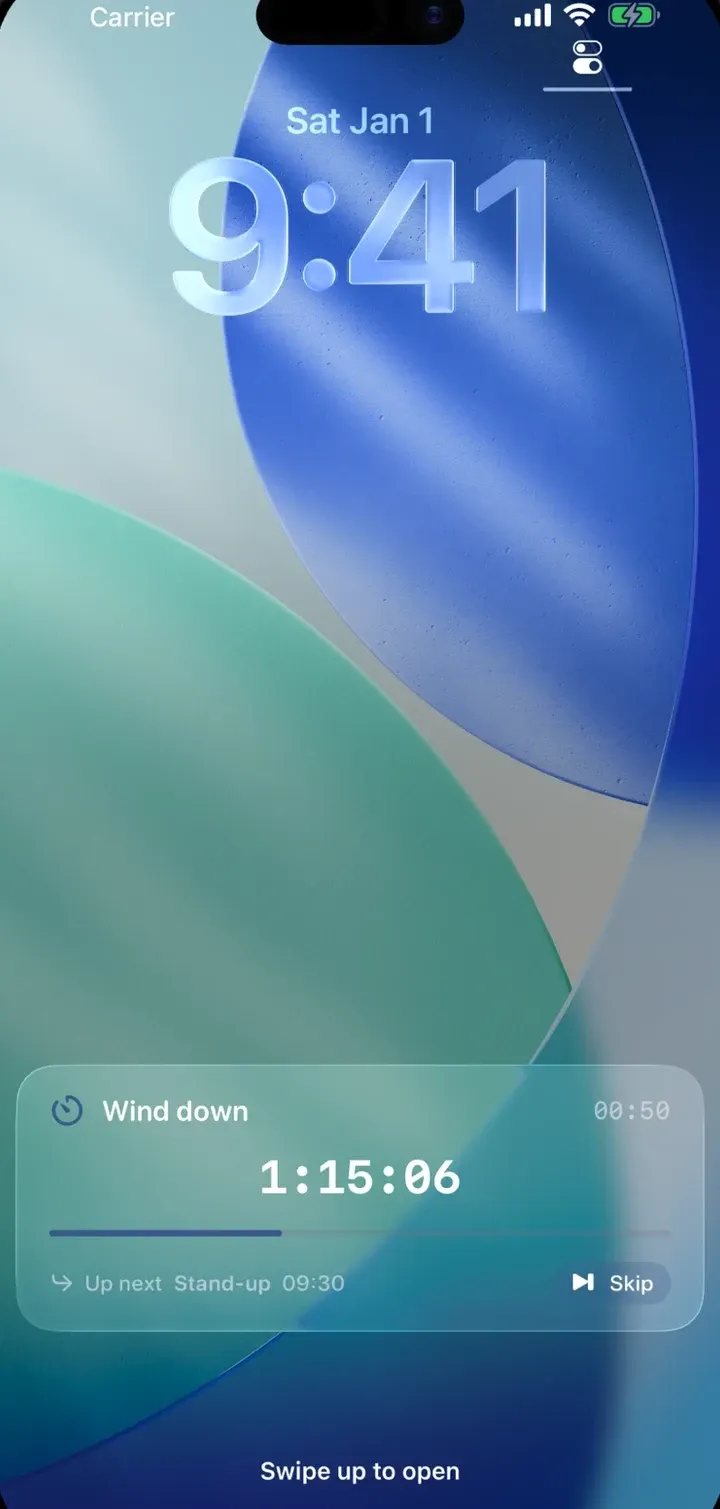
DuePal is a visual countdown clock built for ADHD time blindness that shows how much time remains until your next fixed transition rather than only displaying the current time of day. Instead of requiring manual timer restarts or full-day task checklists, it counts down automatically from one recurring daily anchor to the next.
You configure 3 to 6 immovable times once—such as stand-up, lunch, or work wrap-up—and DuePal keeps the remaining minutes visible in the macOS menu bar even when the main window is closed, or expands into a floating or full-screen desk clock on a secondary monitor.
Features
- Live macOS menu bar countdown that stays visible when the main window is closed, paired with keyboard shortcuts (
⌘Nnew due,⇧⌘Nquick timer,⌘[/⌘]switch clock faces,⌥⌘Dtoggle desk clock). - Automatic rolling handover between recurring daily and weekday anchors without cluttering Apple or Google Calendar with personal breaks.
- 22 visual clock faces and 12 high-contrast color themes, including a shrinking Pie Disk, Progress Ring, Flip Clock, Hourglass, Candle, Nixie, Words, Terminal, and Living Photo Windows.
- Automatic public-holiday skipping across 20 countries and regions (including mainland China and Taiwan make-up workdays), plus date countdowns for upcoming trips, paydays, or deadlines.
- Desktop widgets and iCloud sync across Mac, iPhone, iPad, and Apple Watch, alongside a free browser countdown timer at duepal.app/timer.
Where it fits
DuePal is aimed at Mac users—especially adults with ADHD—who abandon full-day timeline planners after a few days or forget to start manual one-off menu bar timers during hyperfocus. Compared with calendar-driven menu bar tools like MeetingBar or Dato, DuePal runs standalone on fixed daily anchors without requiring every break or transition to live in your calendar. Its primary tradeoffs are that it is closed-source, focused on Apple platforms (no native Windows or Android desktop app yet), and intentionally omits calendar-event syncing and complex task backlogs.
Privacy and requirements
According to the developer (ElevenApril), DuePal contains no ads, requires no user account, and stores your dues and countdowns locally on-device with optional private Apple iCloud sync. Distributed via the Apple App Store as a universal Apple app (id6756181712) for Mac, iPhone, iPad, and Apple Watch; also offers an install-free web timer at duepal.app/timer.
Pricing
DuePal is freemium. The free tier includes 2 active daily dues, 2 date countdowns, the live Mac menu bar countdown, the Current Due widget, and the unlimited browser timer. DuePal Premium unlocks unlimited dues and countdowns, all 22 clock faces and 12 color themes, the Mac floating/full-screen desk clock, Apple Watch app and complications, 20-country public-holiday skipping, and Ring as Alarm (iOS 26+) via weekly, monthly, or yearly subscription (3-day free trial) or a one-time Lifetime purchase ($29.99 standard US price).
 Dato
 DeskMinder
 MeetingBar
 Session