
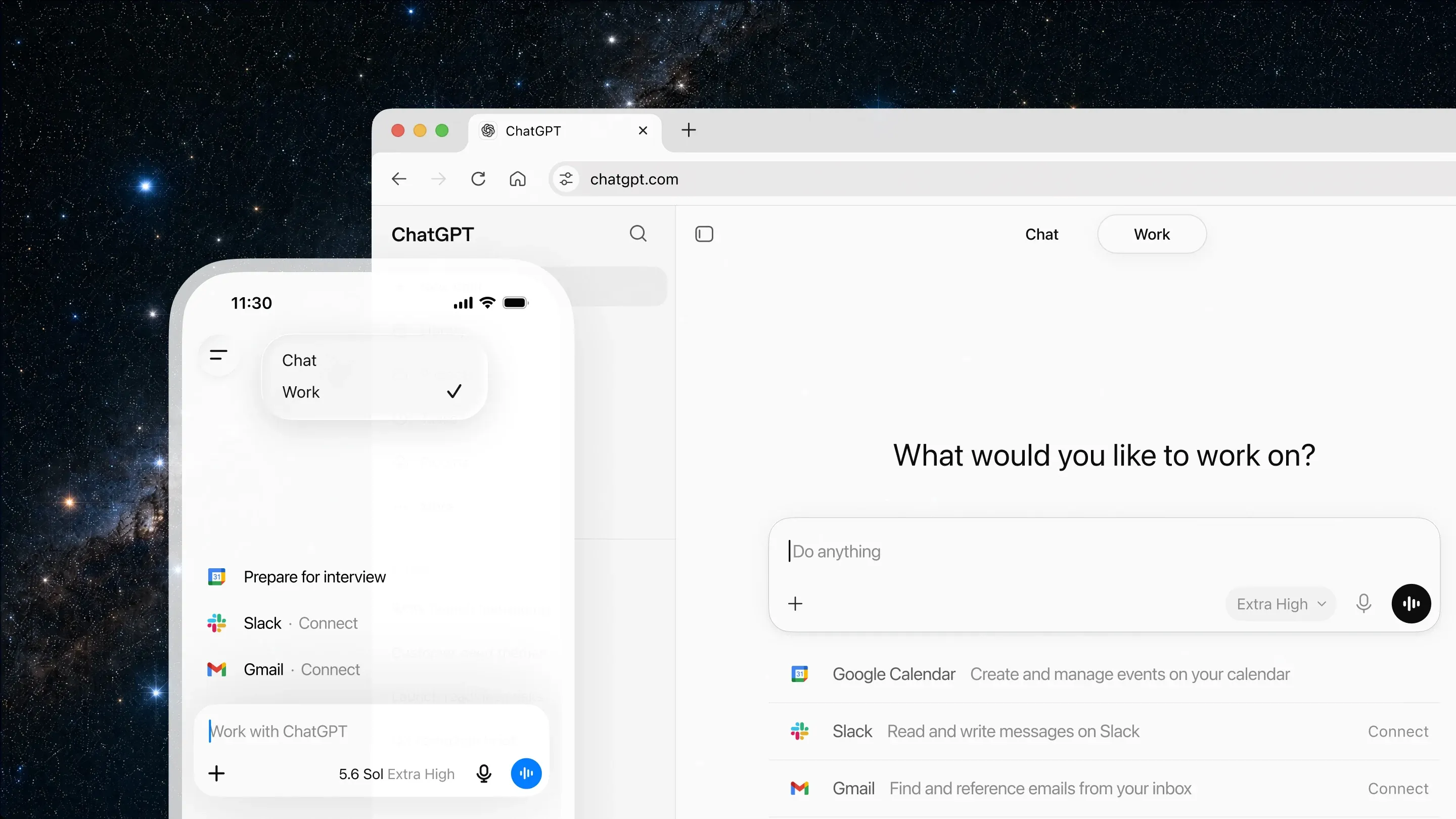
ChatGPT for macOS brings OpenAI’s conversational assistant into a desktop app with a global shortcut and a companion window. It lets you ask questions, draft and revise writing, analyze files and images, work with code, and continue conversations without keeping a browser tab in front.
The desktop workflow is most useful when a question comes up inside another task. You can bring ChatGPT forward beside the current app, share text or supported screen context when permissions allow it, and move between a quick answer and a longer project without copying everything into a new website.
Features
- Open ChatGPT from a desktop shortcut and use a companion window to keep an AI conversation beside the work already on screen.
- Ask for writing, analysis, planning, coding, explanation, translation, and other conversational tasks using the models available to your account.
- Upload files and images for supported analysis, then review and refine the output in a normal chat or Canvas-style editing workflow where available.
- Work with Projects, tasks, and current desktop integrations that connect ChatGPT to selected note-taking, coding, or productivity apps.
- Use code-editing or agent-style features only after checking the current plan, permissions, and application support.
- Manage screen, browser, and connector context deliberately, especially when prompts contain private work or sensitive information.
Where it fits
ChatGPT is best for people who want an adaptable assistant close to everyday writing, research, planning, and coding work. The Mac app is especially convenient when moving context through a browser feels slower than calling up a companion window.
It is not an authority on facts and should not replace expert judgment for important decisions. Current features can also differ substantially by account and release, so an essential workflow should be tested before relying on it.
Privacy and requirements
The current ChatGPT desktop app requires macOS 14 and supports Apple silicon or Intel Macs. Prompts, files, images, voice, screen context, and connected-app data are sent to OpenAI when the corresponding feature is used. Available retention and model-training controls depend on the account and workspace, so review Data Controls and organizational policy before sharing private work.
Pricing
ChatGPT includes a free tier. Plus $20/month.
 Claude
 Dia
Dia Raycast
 VoiceOS