Meet BetterDisplay.Unlock your displays on your Mac.
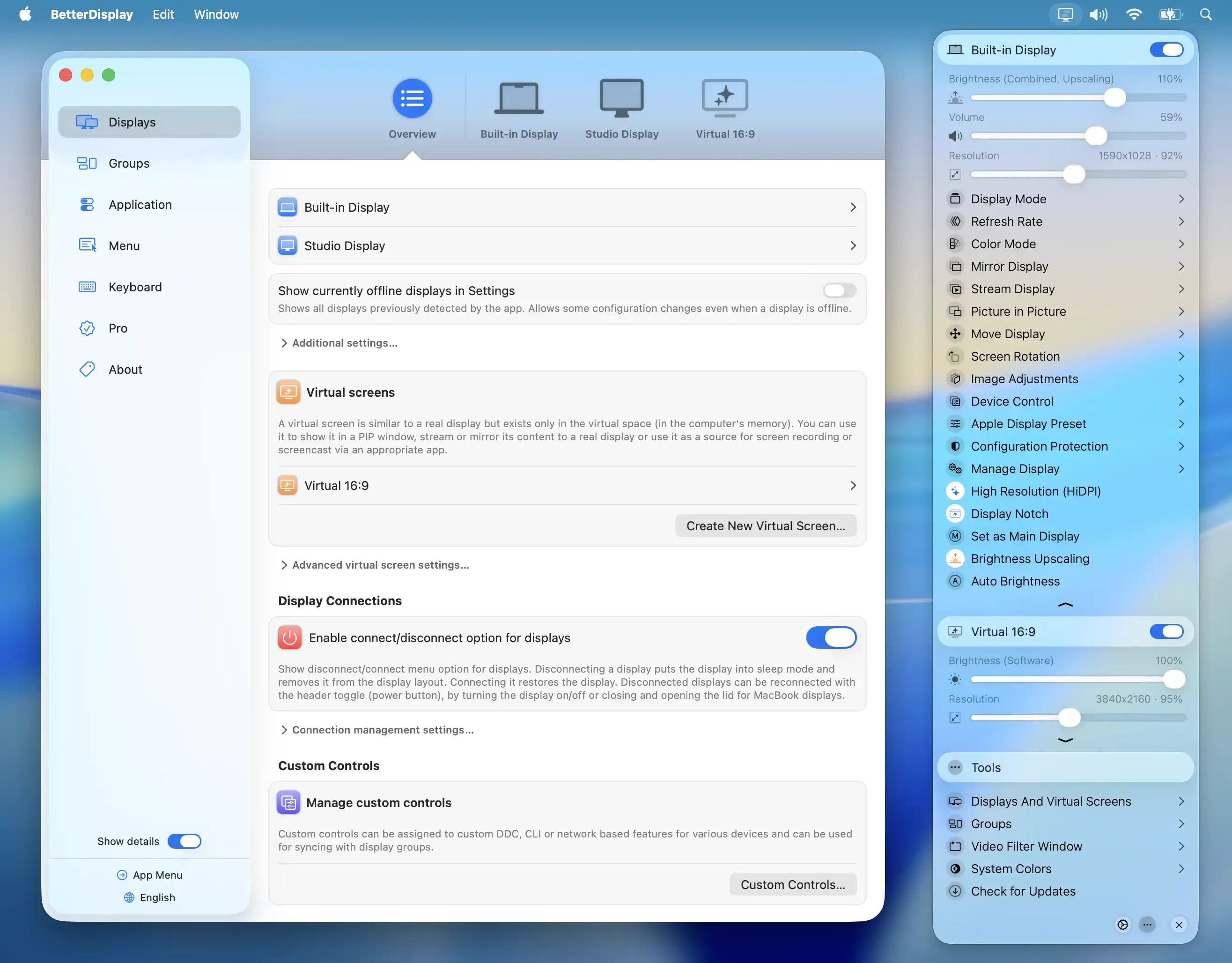
BetterDisplay is an advanced display manager for Macs with built-in or external screens. It gives users more control over resolution, scaling, brightness, color, refresh behavior, and display-specific settings than macOS exposes in its default panels.
It is most often used to make a non-Apple monitor feel less compromised on a Mac. The app can expose additional HiDPI and scaled-resolution options, provide direct monitor control through DDC where the hardware supports it, and make keyboard brightness keys useful across a multi-display setup.
Features
- Expose and manage additional resolution and HiDPI scaling choices for built-in and external displays when the Mac, GPU, connection, and monitor support them.
- Control external-monitor brightness, contrast, volume, input, and other DDC-capable settings from macOS instead of reaching for physical buttons.
- Apply display-specific settings, presets, color controls, and menu bar actions across single- and multi-monitor setups.
- Use virtual screens and advanced arrangement tools for workflows that need a display configuration macOS does not offer directly.
- Dim screens below some monitors’ hardware minimums and tune brightness behavior for late-night work.
- Test advanced Pro features during the current trial before deciding whether a particular display setup benefits from them.
Where it fits
BetterDisplay is best for people who use external monitors with a Mac and want finer control over scaling or hardware settings. It is especially useful for non-Retina displays, unusual resolutions, and multi-monitor desks.
It cannot change the physical pixel density of a display or make every scaling compromise disappear. Users should test settings carefully, because a sharper-looking mode can also change performance, refresh rate, or available workspace.
Privacy and requirements
The current BetterDisplay release supports recent macOS versions, with older downloads available for some earlier systems. Display control varies by monitor, cable, dock, Mac model, and the permissions required by individual features. DDC commands, virtual displays, and software dimming solve different problems, so test the fully unlocked trial against the actual hardware before settling on a configuration.
Pricing
BetterDisplay includes a free tier. Pro $21.99 one-time purchase.
 DisplayBuddy
 Lunar
Lunar Paperman