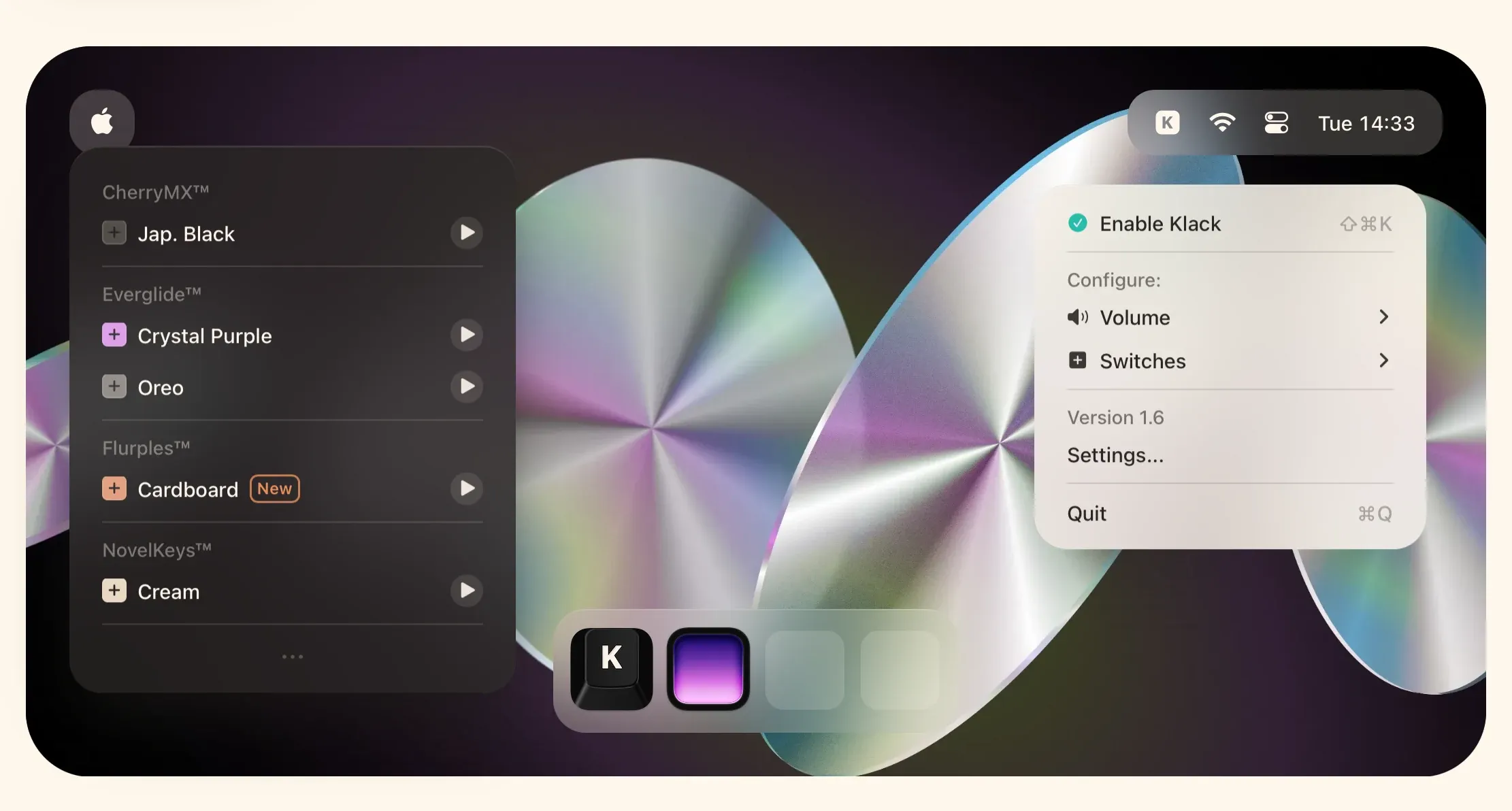
Klack adds mechanical-keyboard sound to every keystroke on a Mac. It is a small sensory utility rather than a productivity system, designed to make laptop and quiet keyboard typing feel more tactile and responsive through carefully recorded audio.
The effect is more detailed than playing a single click sound repeatedly. Klack uses individually recorded key sounds within its switch sets, separate key-down and key-up behavior, and variation in playback to keep typing from sounding obviously looped.
Features
- Add switch-inspired sound profiles to Mac keyboard input, with individually recorded sounds designed to give keys more character.
- Use separate key-down and key-up audio plus playback variation to make repeated typing sound less mechanical in the artificial sense.
- Adjust volume and choose sound profiles so the effect can be subtle rather than overpowering in a shared space.
- Add mouse-click sounds and optional return-key feedback in current releases when those extra cues suit your setup.
- Use sleep and idle behavior so the app does not keep the Mac awake merely to provide sound effects.
- Review usage statistics and current audio or tuning controls from the app’s settings and menu bar interface.
Where it fits
Klack is for people who enjoy the sound and rhythm of a mechanical keyboard but do not want to change their hardware. It is most satisfying for solo typing, writing, and coding on built-in MacBook speakers or headphones.
It adds no functional typing capability, and it can be distracting or inappropriate in a quiet shared environment. If sound feedback is not personally motivating, the app is easy to skip.
Privacy and requirements
Klack currently requires macOS 15 or later. It needs the system access required to detect keystrokes and play the corresponding sound, but the developer's App Store disclosure says the app collects no data. It does not need the text being typed for its purpose; permissions should be reconsidered if that behavior or disclosure changes.
Pricing
Klack costs $4.99 for a one-time license.
 Wallspace
 Keeby
Keeby