
Meet KeyScreen.Display keyboard shortcuts and mouse clicks on screen as you demonstrate a Mac workflow.
About KeyScreen
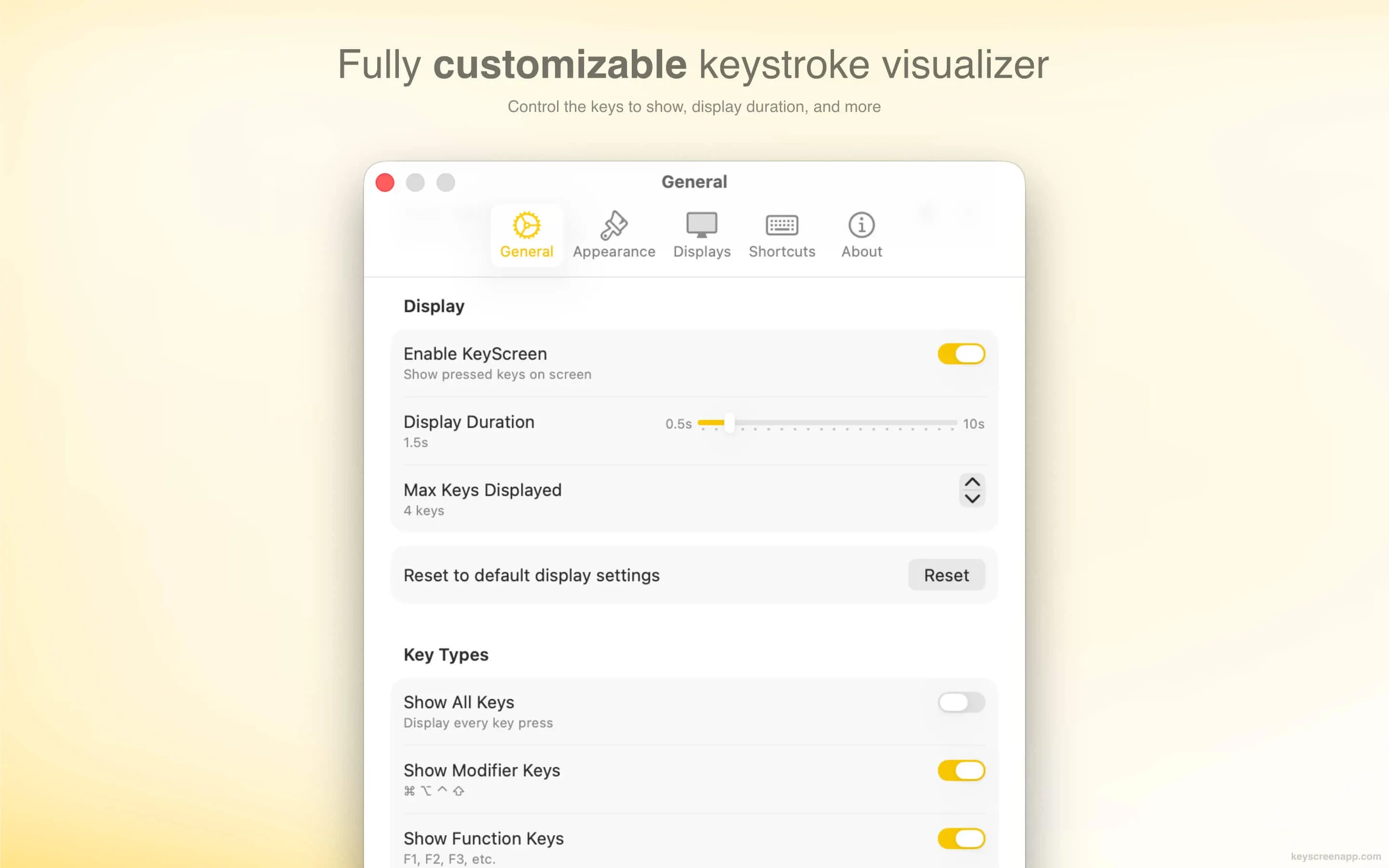
KeyScreen displays key presses as an overlay during a tutorial, stream, or live demo. You can show only shortcut combinations when ordinary typing would distract from the walkthrough.
Features
- Choose which keys and mouse clicks are shown.
- Customize the overlay's position, appearance, and animation.
- Move the overlay to the display being shared.
Privacy and requirements
KeyScreen requires macOS 15 or later. The developer says it processes input locally and does not receive events from protected password fields. Pause the overlay before typing confidential text in other fields.
Pricing
The direct license is a $5.99 one-time purchase.
 FaceScreen
 Presentify