Meet Dot.Calendar, reminders, and meeting prep in the menu bar.
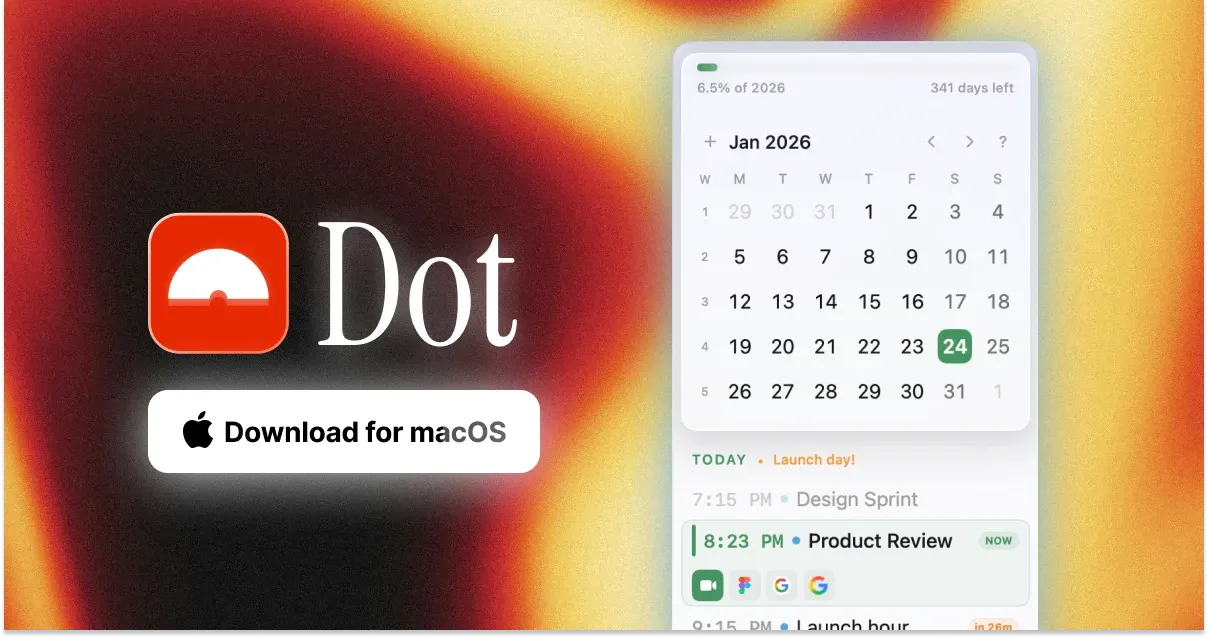
Dot is a menu-bar calendar built for quick access to events, reminders, time zones, and meeting controls. It reads the calendar accounts already configured in macOS, avoiding another calendar account while keeping the day's schedule available without opening a full window.
Features
- See the day, upcoming events, and a full calendar from the menu bar.
- Create and edit events with natural-language input.
- Search calendars and open a command bar with a keyboard shortcut.
- View and complete Apple Reminders beside scheduled events.
- Join online meetings from timely notifications and preview the camera before entering.
- Check world clocks and configure which pieces appear in the menu bar.
Where it fits
Dot works well for people who live by a calendar but want a lightweight, keyboard-friendly layer above Apple's system data. It complements the Calendar app rather than replacing the account and sync infrastructure underneath it. Heavy schedulers may still need availability booking or team coordination features from a larger service.
Privacy and requirements
Dot supports macOS 13 or later on Intel and Apple-silicon Macs. It does not require a Dot account, and the developer says calendar data stays on the Mac. Calendar, Reminders, notifications, and camera access are requested only for their corresponding features.
Pricing
Dot has a 14-day trial with no card required. A lifetime license is $14.99; the site currently advertises $9.99 with the code LAUNCH.
 Dato
Dato Fantastical