
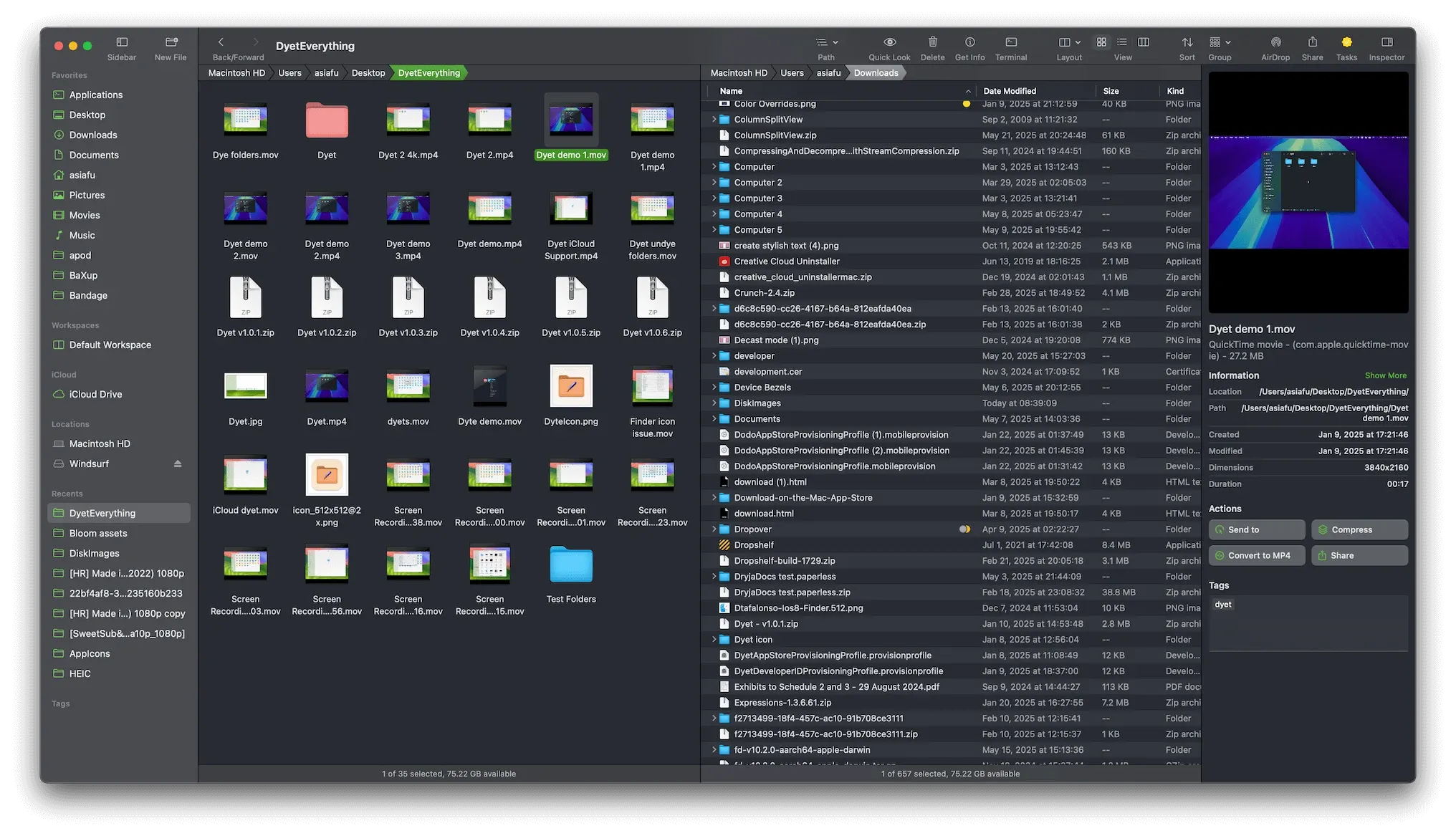
Bloom is a Finder alternative for people who regularly compare folders, move batches of files, or need more context than a single file browser provides. Its defining idea is a flexible multi-pane workspace that keeps several locations visible without covering the desktop in separate windows.
A workspace can combine columns, previews, sidebars, and multiple folder panes, then preserve that arrangement for a recurring project. Search operates directly on the file system instead of depending only on Spotlight, and a compact Portal window acts as a temporary shelf for material being moved between apps or locations.
Features
- Arrange folders in several multi-pane layouts, save them as workspaces, and synchronize browsing between panes when comparing similar directory trees.
- Search the file system from a global Go to Folder window or filter the current location in place.
- Rename groups of files, inspect archives without extracting them first, and queue file operations from one interface.
- Convert or optimize supported images and media, paste copied images or text as new files, and open a folder in a chosen terminal.
- Keep files temporarily available in Portal, a compact floating shelf designed for drag-and-drop workflows.
- Browse iCloud Drive, Dropbox, OneDrive, and other providers exposed through macOS File Provider folders.
- Customize shortcuts, themes, toolbars, file details, tags, sorting, grouping, and preview actions.
Where it fits
Bloom is best for designers, developers, photographers, and other users who spend enough time in the file system to benefit from persistent layouts and batch tools. Finder remains simpler for occasional browsing, and Bloom's larger command surface takes time to learn; independent reviewers particularly value its speed and panes while noting that it can be excessive for casual use.
Privacy and requirements
Bloom requires macOS 14 or later and supports Intel and Apple silicon Macs. The developer describes it as a local file manager that collects no personal data; network requests are limited to license activation at launch and user-initiated update checks. Full Disk Access is optional for general use but required to read all Finder tag data, and cloud folders depend on their providers' macOS integrations.
Pricing
Bloom costs $16 as a one-time purchase with future updates included. A seven-day free trial is available, and one license can be used on up to three devices.
 QSpace