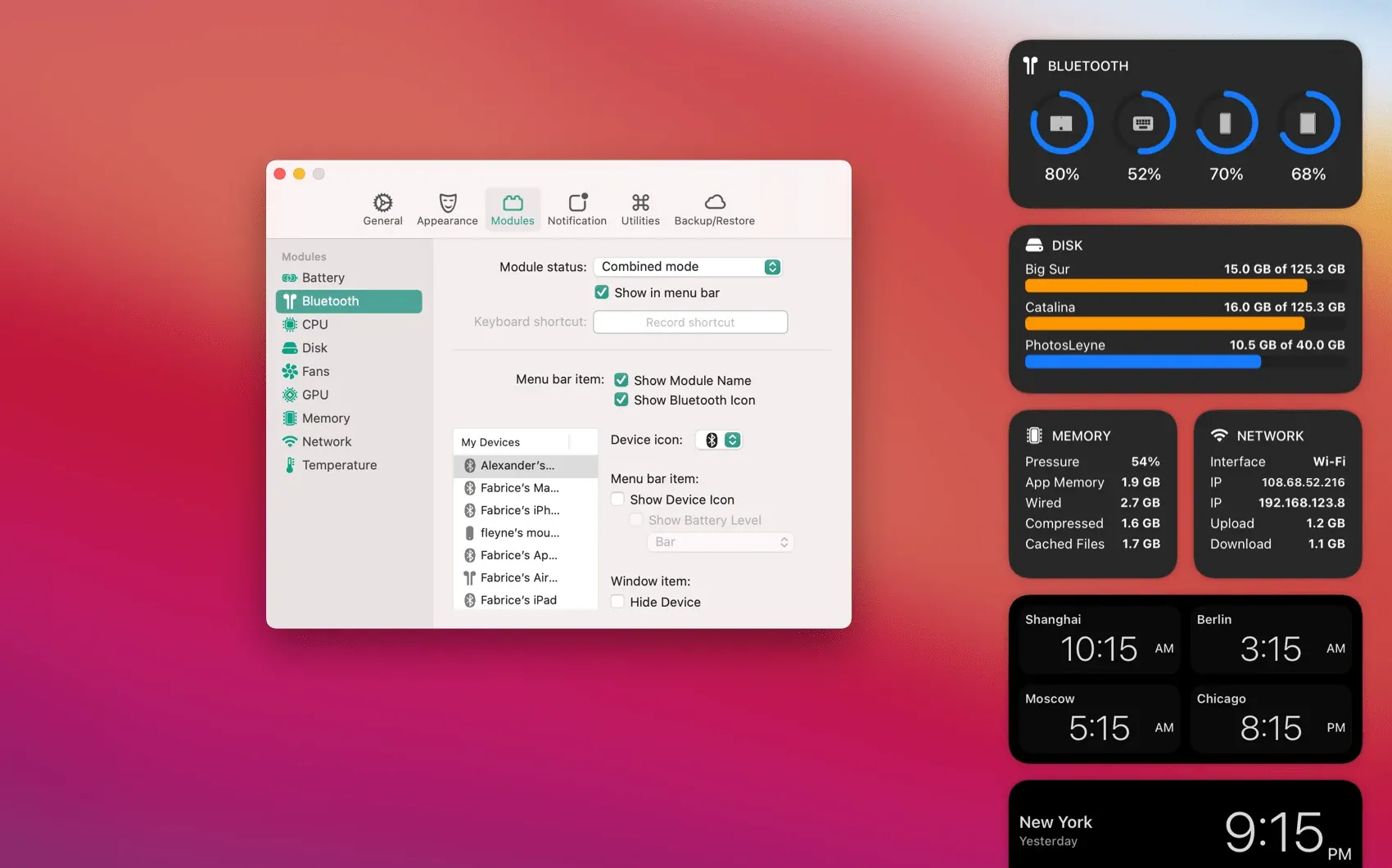
Stats is a free, open-source macOS system monitor that places live hardware and system information in the menu bar. You turn on the modules you care about, glance at their values while working, and open a module when a number needs more context.
It is most useful when a Mac feels hot, slow, low on battery, or unexpectedly busy. Instead of opening Activity Monitor for every question, you can keep a compact view of CPU, memory, network, disk, power, and sensor activity available all day.
Features
- Monitor CPU, GPU, memory, disk, network, and battery activity from individually configurable menu-bar modules.
- View hardware sensor information such as temperature, voltage, and power where the Mac exposes those values.
- Add Bluetooth device status and a multiple-time-zone clock alongside core resource monitoring.
- Enable optional macOS widgets when you want data outside the menu bar, subject to the app’s current widget setting and macOS permissions.
- Install through the project’s release download or Homebrew, and inspect the source under its MIT license.
- Disable modules you do not need to reduce the monitoring overhead; the maintainer specifically notes that Sensors and Bluetooth can be comparatively expensive.
Where it fits
Stats is for people who want readable system telemetry without a subscription or a large dashboard always open. It complements Activity Monitor by making routine checks immediate, and it is particularly useful on a workstation or a laptop whose thermals and battery life you are learning.
It requires macOS Monterey or newer, and some readings depend on the machine and macOS release. Fan control is retained as a legacy feature and should not be chosen as the reason to install the app.
Privacy and requirements
Stats requires macOS 12 or later and publishes its source under the MIT license. Hardware readings remain on the Mac, although modules need access to the sensors and system information they display.
macOS 26 adds explicit permission for menu-bar items. Disable unused modules because sensor and Bluetooth polling can consume measurable resources.
Pricing
Stats is free and open source.
 Mole
Mole OpenUsage